Selecting an AI Voice for Your Videos
Sequence offers a powerful feature that allows users to apply AI-generated voices to their videos. This guide will explain how to choose and apply AI voices to your video’s text chunks, providing flexibility and enhancing the overall quality of your video.
Why Use AI Voices?
Using AI voices in your video can:
- Enhance Engagement: Add professional narration to your videos.
- Save Time: Quickly generate voiceovers without needing to record manually.
- Increase Accessibility: Provide audio descriptions for text content, making your videos more accessible.
Steps to Choose and Apply an AI Voice
Navigate to Project Dashboard
- Once the video is uploaded, you will be directed to the project dashboard where you can begin editing.
Generate Text Chunks
- The system will automatically generate text chunks from your video’s audio.
Apply AI Voice
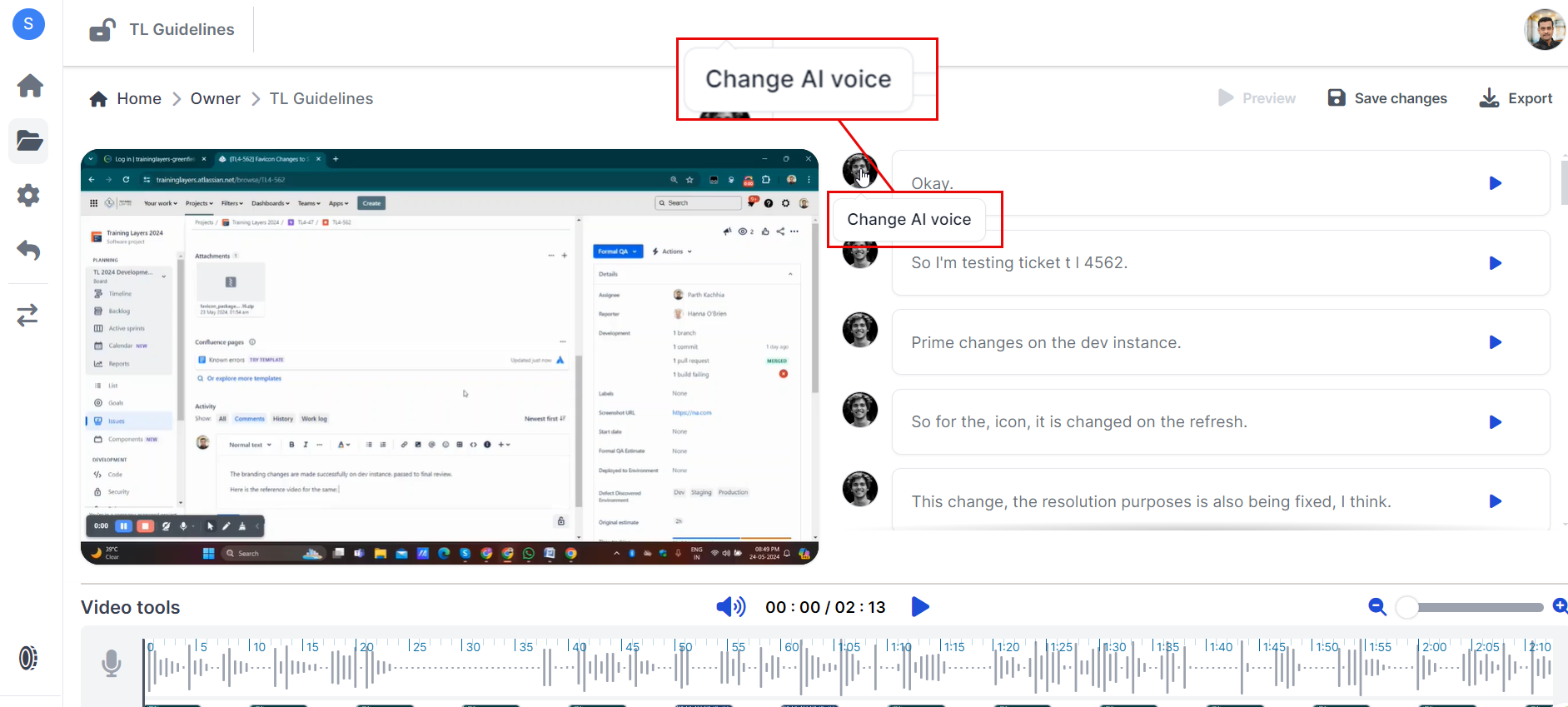
Apply Different AI Voices to Selected Text Chunks
- Select Individual Chunks / Apply selected voice to all
- Click on individual text chunks within your project dashboard.
- You can also apply selected voice to all of your created text chunks.
- Choose AI Voice
- Select different AI voices from the available options for each chunk.
- Apply and Save
- Apply the selected voices to the respective chunks and save your changes.
Available AI Voices
Sequence offers a variety of pre-built AI voices to choose from, including but not limited to:
- Sandra
- Natalie
- Oliver
- Allison
- Finley
- Ethan
Each voice can be customized further by adjusting speech behavior (Calm, Happy, Sad, Inspirational), speech value (%), and pitch value (%).
Troubleshooting
If you encounter any issues while choosing or applying AI voices, here are some common solutions:
Voice Application Issues?
- Ensure you have a stable internet connection during the voice application process.
- Check if all text chunks are correctly generated and visible in your project dashboard.
Voice Not Playing?
- Make sure you have saved all changes after applying different voices.
- Preview the video again to confirm that all selected voices are applied correctly.
Need Help?
If you need further assistance with choosing or applying AI voices in Sequence, feel free to reach out to our support team via support@adoptsequence.com.