Resetting Your Account Password
Maintaining the security of your Sequence account is crucial. If you ever need to reset your password, whether you're logged in or not, Sequence provides simple methods to do so. This guide will walk you through the steps and explain the importance of resetting your password.
Importance of Resetting Your Password
Regularly updating your password helps protect your account from unauthorized access. It ensures that your personal information and project data remain secure. If you suspect any unusual activity or simply want to enhance your account's security, resetting your password is a good practice.
Methods to Reset Your Password
Sequence offers two ways to reset your password:
1. Resetting Password While Logged In
If you are already logged into the Sequence portal and wish to change your password, follow these steps:
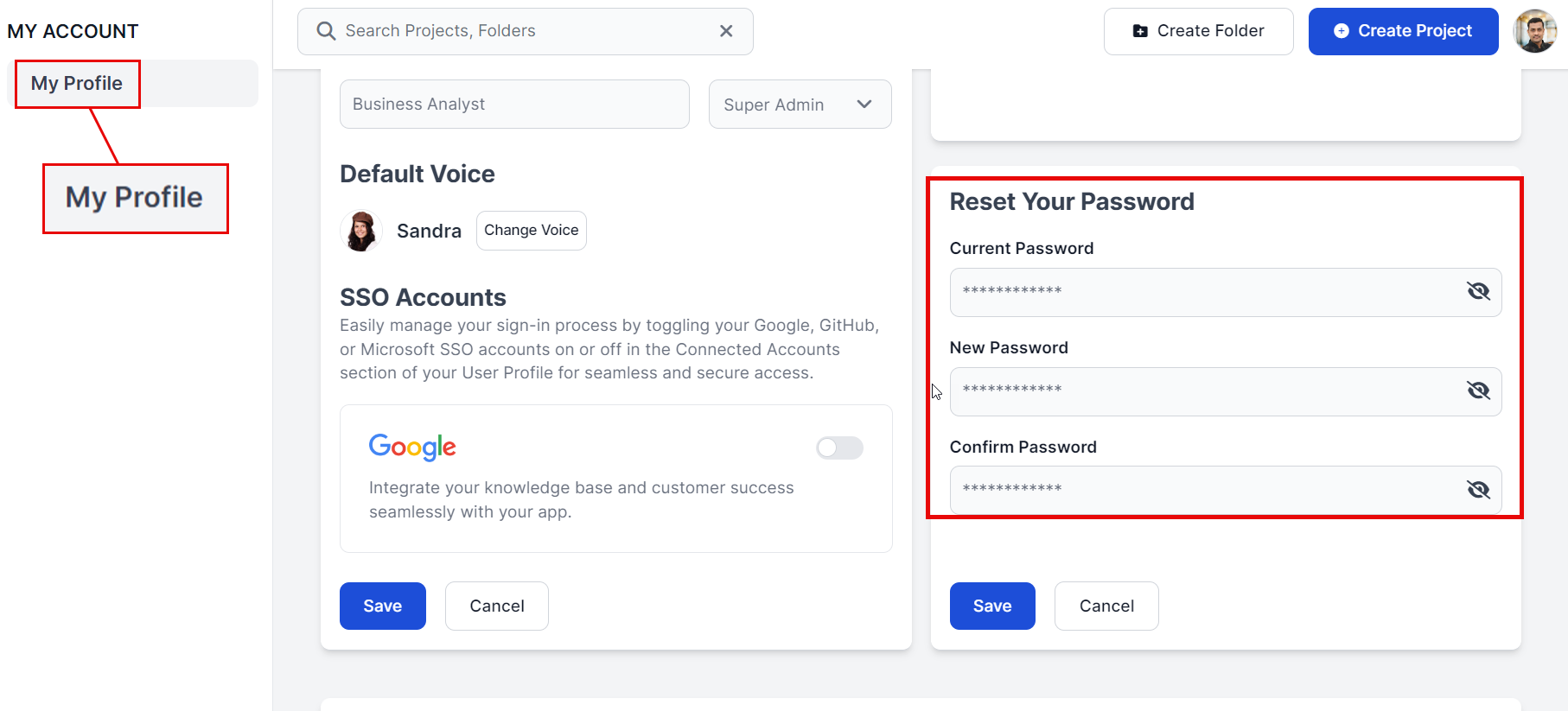
- Navigate to Your Profile: Click on your profile icon on top right and select "Your Profile".
- Select Your Reset Password: In the profile update your password on the "Reset Your Password" option.
2. Resetting Password from Login Page
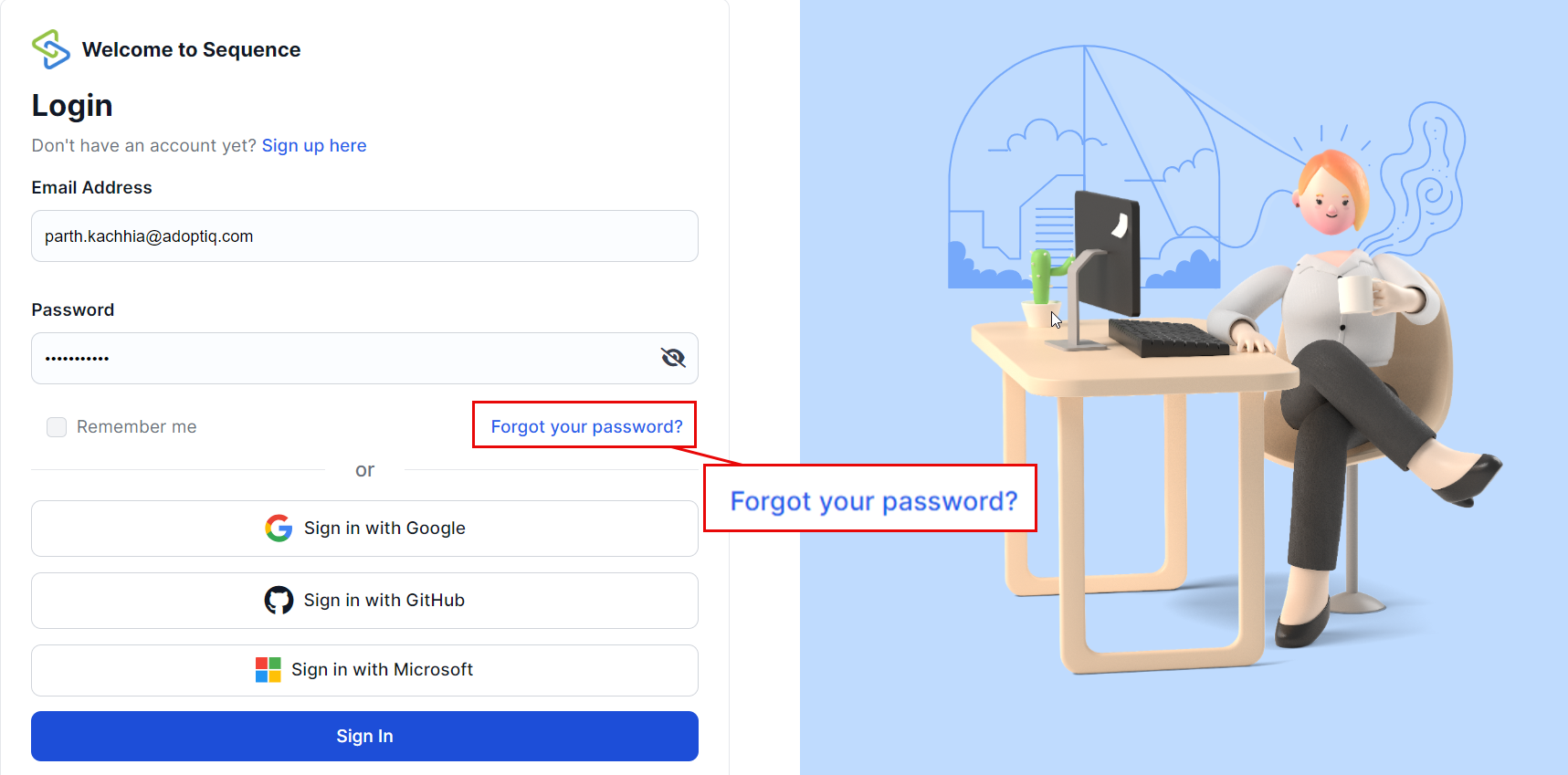
If you are not logged in and need to reset your password, use the "Forgot Your Password?" option:
- Go to Login Page: Navigate to the Sequence login page.
- Click Forgot Your Password?: Click on the "Forgot Your Password?" link.
- Enter Registered Email: Enter the email address associated with your Sequence account.
- Check Email for Reset Link: You will receive an email with a link to reset your password.
Tips for Creating a Strong Password
- Use a Mix of Characters: Include uppercase and lowercase letters, numbers, and special characters.
- Avoid Common Words: Do not use easily guessable words or phrases.
- Length Matters: Aim for at least 12 characters.
- Unique Passwords: Use a unique password for each of your accounts.
Troubleshooting
If you encounter any issues while resetting your password, here are some common solutions:
Didn't Receive Reset Email?
- Check your spam or junk folder.
- Ensure that you entered the correct email address.
- If still not received, contact our support team for assistance.
Error Messages?
- Make sure all required fields are filled out correctly.
- Ensure that your new password meets our security requirements.
Need Help?
If you need further assistance with setting up or customizing your default voice, feel free to reach out to our support team via support@adoptsequence.com.