Managing Organisations in Sequence
In Sequence, users have the ability to create and manage organisations, which function similarly to tenants. This feature allows users to organize their projects, folders, and team members efficiently.
It provides a structured environment to handle multiple projects and collaborate with different teams.
Key Features of Organisations
- Project Management: Organise your work into projects within each organisation.
- Folder Structure: Create folders to further categorize and manage your projects.
- Team Collaboration: Invite and manage team members within each organisation.
- Multiple Organisations: A single user can create and manage multiple organisations within their tenant account.
Create an Organisation
To get started with creating an organisation:
- Log into Sequence: Access your Sequence account.
- Navigate to Profile on top right corner: Find the section in your dashboard where you can manage organisations.
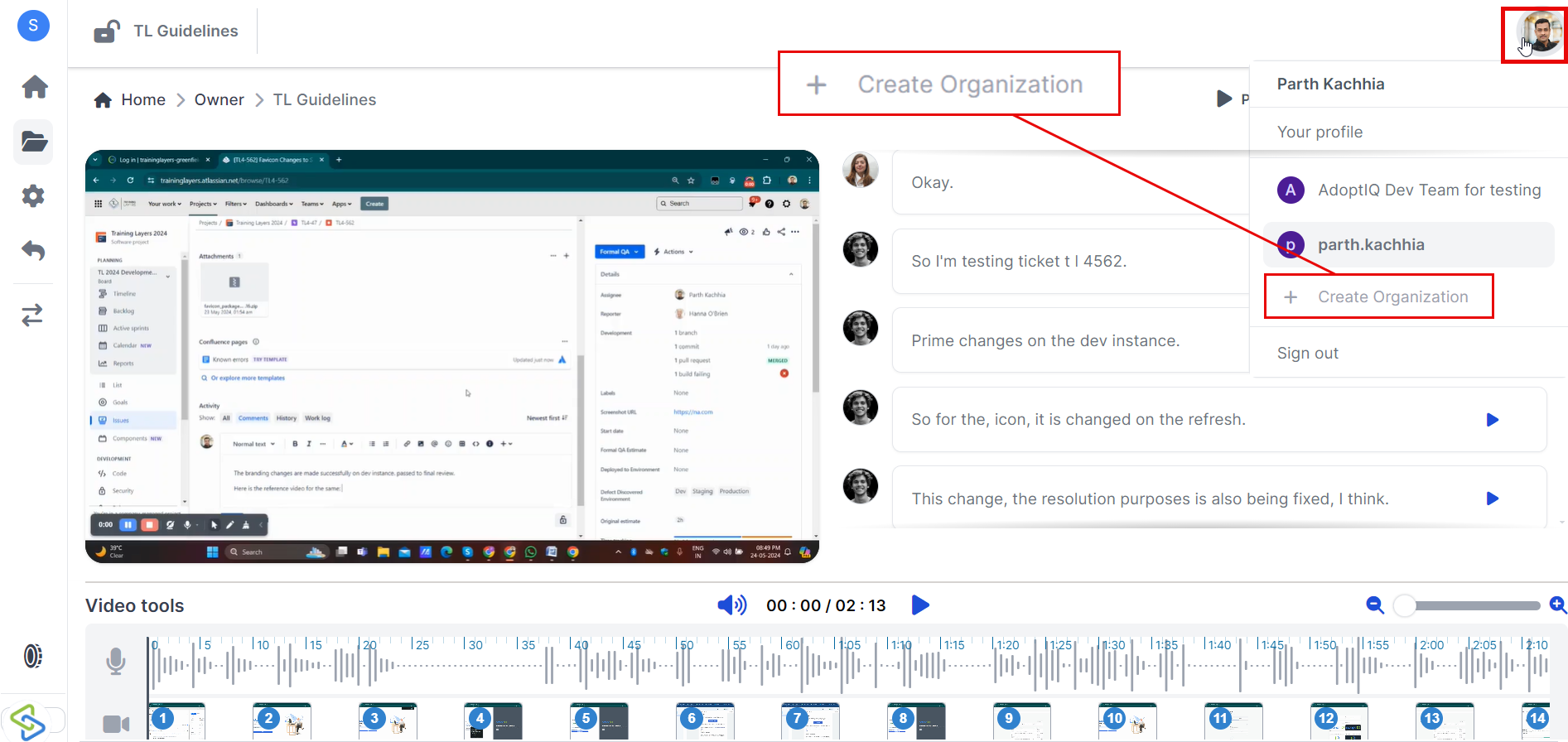
3. Create New Organisation:
- Click on "Create New Organisation."
- Enter the name and other required details for your new organisation.
- Confirm to create the organisation.
Manage Multiple Organisations
If you need to handle different sets of projects or teams separately, you can create multiple organisations:
- Create Additional Organisations:
- Follow the same steps as above to create additional organisations within your tenant account.
- Switch Between Organisations:
- Easily switch between different organisations from your dashboard to manage various projects and teams efficiently.
Importance of Organisation Management
Effective organization management in Sequence offers several benefits:
- Structured Workflow: Keep your projects well-organized within folders and organizations.
- Enhanced Collaboration: Manage team members efficiently by assigning roles and permissions.
- Scalability: Create multiple organizations to handle different sets of projects or teams without confusion.
- Centralized Control: Maintain control over all aspects of project management from a single interface.
Troubleshooting
If you encounter any issues while managing organizations, here are some common solutions:
Organisation Creation Issues?
- Ensure you have filled out all required fields correctly during creation.
- Check if there are any restrictions or limitations on the number of organizations per account.
Team Member Invitation Problems?
- Verify that the email addresses entered are correct.
- Ensure that invitations are not being filtered into spam or junk folders.
Need Help?
If you need further assistance with managing organizations in Sequence, feel free to reach out to our support team via support@adoptsequence.com.