Getting Started: Creating Your Sequence Account
Welcome to Sequence! Creating an account is your first step towards exploring all the powerful features we offer.
Step-by-Step Guide to Creating an Account
1. Access the Sign-Up Page
Navigate to the Sequence login page. You will find the option to sign up for a new account.
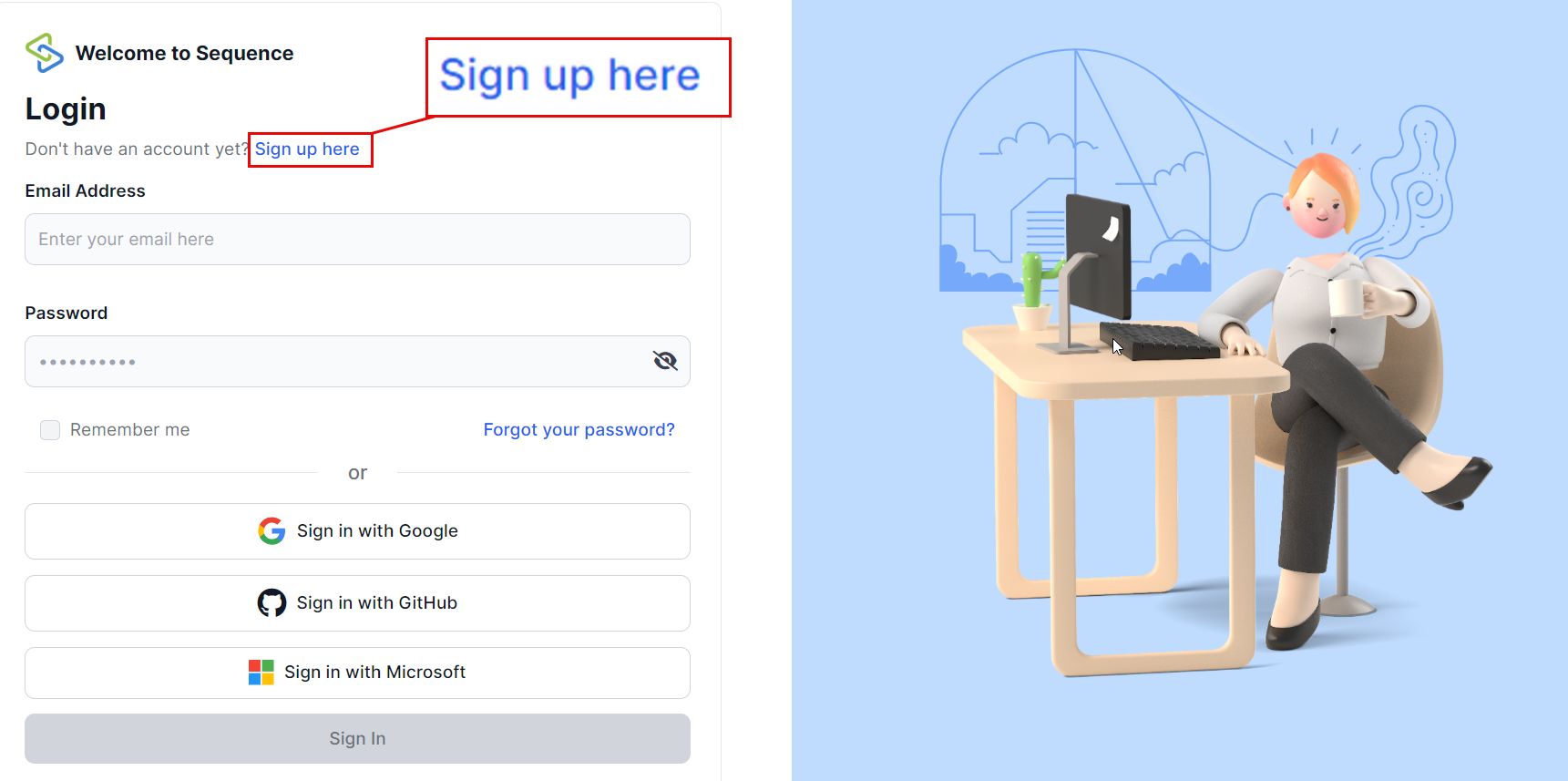
2. Enter Your Information
You will need to provide the following details:
- Full Name: Enter your full name.
- Organization Name: This will create an organization for you within Sequence, allowing you to invite more people to collaborate.
- Email Address: Provide a valid email address that you have access to.
- Password: Choose a strong password for your account.
3. Accept Terms & Conditions and Privacy Policy
Before proceeding, ensure you read and accept our Terms & Conditions and Privacy Policy. This is mandatory for creating an account.
4. Complete Sign-Up
Click on the "Sign Up" button to complete the process. You will receive a confirmation email shortly.
Tips for a Smooth Sign-Up Experience
- Check Your Email: Make sure you enter your email address correctly to receive the confirmation email.
- Strong Password: Use a combination of letters, numbers, and special characters for a strong password.
- Read Policies: Take a moment to read through our Terms & Conditions and Privacy Policy to understand our guidelines and how we handle your data.
Troubleshooting
If you encounter any issues during sign-up, here are some common solutions:
Didn't Receive Confirmation Email?
- Check your spam or junk folder.
- Ensure that you entered the correct email address.
- If still not received, contact our support team for assistance.
Error Messages?
- Make sure all required fields are filled out correctly.
- Ensure that your password meets our security requirements.
Need Help?
If you need further assistance, feel free to reach out to our support team via support@adoptsequence.com.