Chrome Extension Widget Features
When recording a video using the Sequence Chrome extension, users have access to a versatile Chrome widget that enhances the recording experience.
Features of the Chrome Widget
The Chrome widget provides several key functions to help manage your recording session effectively:
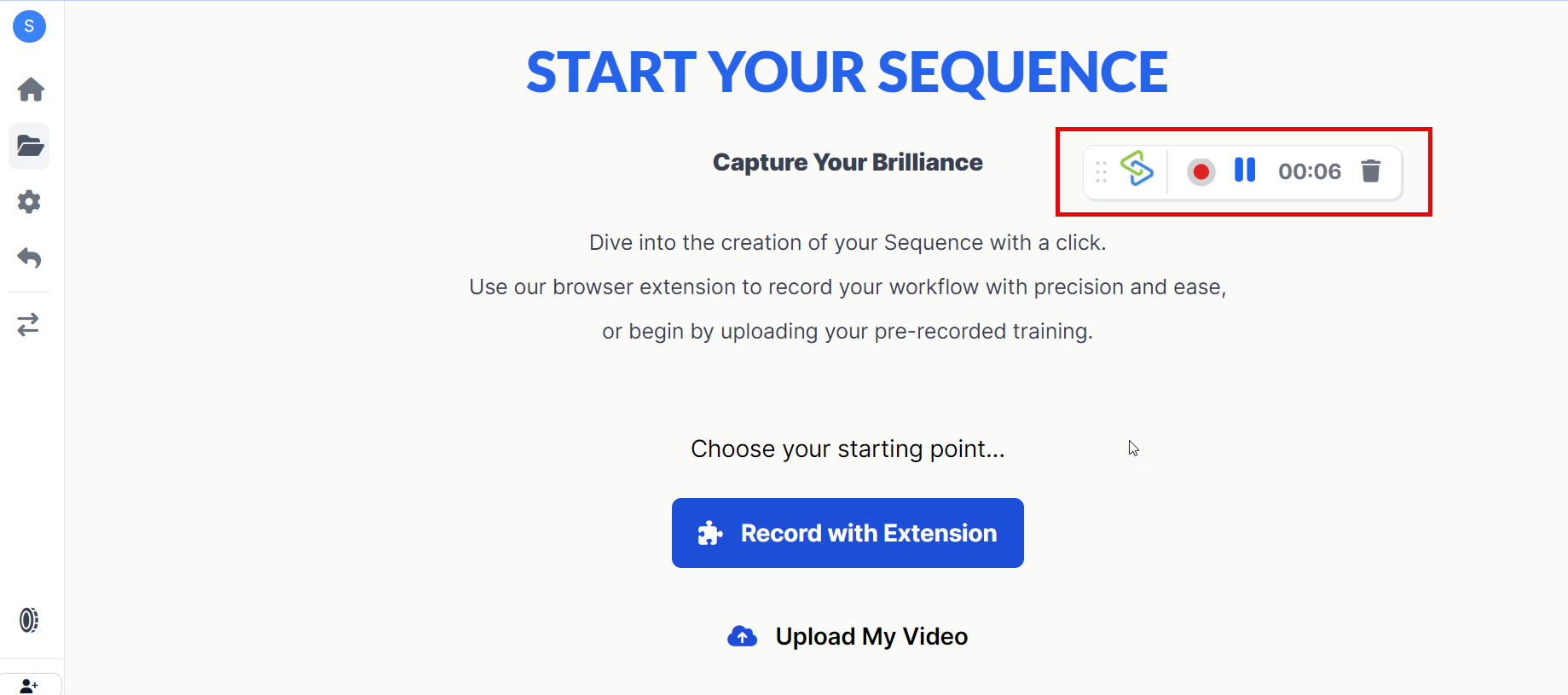
Stop Recording
- Action: Click on the stop button within the widget to end your recording.
- Outcome: Once stopped, you will be redirected to your project dashboard where the recorded video is captured, allowing you to proceed with editing.
Play and Pause
- Action: Use the play/pause button to control the playback of your recording.
- Outcome: This allows you to pause and resume your recording as needed, providing flexibility in capturing content.
Delete Video
- Action: Click on the delete button within the widget to discard the current recording.
- Outcome: This option is useful if you need to start over or if the recording did not go as planned.
Additional Features
Recording Timer
- The widget displays the duration of your current recording session, helping you keep track of time.
Draggable Interface
- The widget is draggable, allowing you to move it anywhere within the viewport. This ensures that it does not obstruct important areas of your screen during recording.
Benefits of Using the Chrome Widget
The Chrome widget offers several advantages:
- Real-Time Control: Easily manage your recording sessions without interrupting workflow.
- Flexibility: Pause and resume recordings as needed, ensuring you capture only what’s necessary.
- Convenience: Quickly stop or delete recordings directly from the widget interface.
- Enhanced User Experience: The draggable feature ensures that critical parts of your screen are not obstructed during recording.
Need Help?
If you need further assistance with using the Chrome extension widget or any other features of Sequence, feel free to reach out to our support team via support@adoptsequence.com.